Aug 16, 2014

★★ Photo Collage Max 2.3.1.2 + Key (Full Version) ★★

ဒီေကာင္ေလးကေတာ့ backgrounds, frames ေတြမ်ိဳးစံုပါ၀င္ျပီး templates လန္းလန္းေလးေတြလည္း
ၾကိဳက္သလိုထည့္သြင္းအသံုးျပဳႏိုင္သည့္အျပင္ျမန္မာစာကိုလည္းခ်ိန္းျပီးေရးသားႏိုင္ပါတယ္။မိမိပံုေတြကို
photo collages, cards, scrapbooks, calendars for birthday, wedding, အစရွိသည္ျဖင့္စိတ္ၾကိဳက္
ဖန္တီးႏိုင္ေသာ Photo Collage Max  ေလးပဲျဖစ္ပါတယ္။ဒီေဆာ့စ္၀ဲေလးကေတာ့သူငယ္ခ်င္းတို႔ရင္းႏွီးျပီး
သားပါ။အခု Full ျဖစ္ေစဖို႔အတြက္ Key ေလးကိုထည့္သြင္းေပးထားပါတယ္။အားလံုးအဆင္ေျပၾကမွာပါ..။


Comes with a wide range of templates, backgrounds, frames, etc., Photo Collage Max offers an easy way to design marvelous photo collages, cards, scrapbooks, calendars for birthday, wedding, anniversary, holidays and any other special moment in life.

Arrange your photos to be a collage easily and creatively
- Select a template from dozens of examples or just use a blank page to start your collage making project.
- Drag or drop your favorite photos into this page. Embellish them with frames, masks, cliparts and backgrounds as you wish.
- Resize or reposition any layer to anywhere you want in this project, to make it to be the perfect and unique layout.

Finely designed templates for all kinds of occasions
- A wide range of templates for birthday, wedding, holidays and other special days in life are all gathered in.
- Apply Photo Wall to display your unique looks or for formal use such as building Contact Sheet.
- Templates for creating precious greeting cards are also available and easy to handle for customization.
- Calendar templates are provided as well to assist you to make unique calendars.

Built-in backgrounds, frames, cliparts make your collages the most unique ones
- Apply or change background of a collage project with built-in patterns or your own pictures.
- Drop shadow for your photo, or decorate it with plenty of lovely frames and masks.
- A large array of clipart images which match any occasion are given to make your collages more special.
- You can also add a shape into your photo collage.

Easily manage collages, photos, layers, shadows, size or position, personalize your works
- Change the size or orientation of your collages for different purposes, such as email or print.
- Crop, rotate, move or zoom your photos.
- Change the color, shape, opacity of the shadow.
- Drag a layer to anywhere you want in a collage project.
- Add text and you can choose text font, font size, color, graphics, background color and so on.

Save your collage, print it or share it with family and friends
- Save your collage as a picture in one of these formats, .jpg, .png, .tif, .gif, .bmp.
- Set your finished collage work as the wallpaper for your computer.
- With the help of Print Preview settings, directly print your collage in perfection.
- Email your collages to family and friends, share them on Facebook, MySpace or blog.


================
[INSTALL NOTES]
================

(1): Please use 7Zip/WinRAR/Universal Extractor to EXTRACT FILES
(2): run the setup
(3): Use the given serial key to activate
(4): Enjoy and Support Developers, Buy It, They Deserved It!


★★နည္းပညာၿမိဳ႕ေတာ္★★

Aug 15, 2014

★★ Boxing Game 3D Version: 3.0 ( Android Game) ★★


android ဖုန္းေတြမွာ Boxing ထိုးခ်င္တဲ့ေဘာ္ဒါေတြအတြက္ အရမ္းလန္းတဲ့ Boxing Game 3D Version: 3.0 apk ေလးပါ ။ မိမိၾကိဳက္တဲ့သူကိုေရြးယူေဆာ့ႏိုင္ၿပီးမိမိနဲကၿပိဳင္ထိုးသတ္မဲ့သူကိုလဲပဲမိမိၾကိဳက္သလို
ေရြးယူႏိုင္ပါတယ္ ရုပ္ထြက္ေကာင္းၿပီးၾကမ္းၾကမ္းတမ္းတမ္းဖိုက္ခ်င္တဲ့ေဘာ္ဒါေတြအၾကိဳက္ေတြ႕မွာပါ ။
file size က 23mb ရွိၿပီး Android: 2.3 ႏွင့္အထက္ဖုန္းေတြမွာကစားႏိုင္ပါတယ္ဗ်ာ ။


Fighting Boxing Game 3D is the hottest real-time 3d fighting games in the market which offers a realistic and high quality experience. With the realistic 3D models and wonderful 3D sound, we ensure you will be addicted in this exciting 3d boxing games for tablets and smartphones.
Tired of the boxing robot game and the boxing zombies games? Want to try a real fighting man game? Download this fight games and start your boxing legend at this fighting night, be a fighting hero and win the fight night boxing champion in the fight final. Show your boxing knockouts(Boxing ko) and boxing fighting ko in the fighting ufc games to prove you are the best boxing king fighter, the best fighting master.
Fighting Game Feature
★boxing 3d game, Amazing 3d animations and sound effects.
★Realistic scene in this wwe game including boxing ring, boxing timer, boxing bell and boxing clock, makes you feel that as you are watching real boxing live stream just in the boxing match.
★Plenty of boxing heroes in the boxing hub for your options in this boxing 3d games.
★Various scene for you option in this wwf game. You can fight in the boxing day or boxing night. You can even fight in the desert via this fight game
★Easy to control, 4 attacks and fight back ,1 Defense and 4 Movements.
Since the beginning of the last decade, boxing and wwf wrestling game has become a technical contest where the main emphasis falls on the competitive side of the sport. Despite these changes, great boxing matches are still determined by the raw power of a fighter’s punch. Boxing Knockout are one of the main attractions of boxing; they are exciting moments that captivate our imagination. The idea that a single boxing punch can turn the tide of a fight and, in some cases, transform underdogs into world boxing championship, is what attracts the masses to this sport.
If you are a Boxing mania fans, you must love this fight action games. Fight fight fight, you are the best fight king.


★★နည္းပညာၿမိဳ႕ေတာ္★★

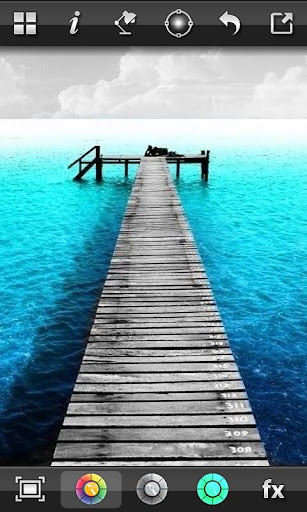
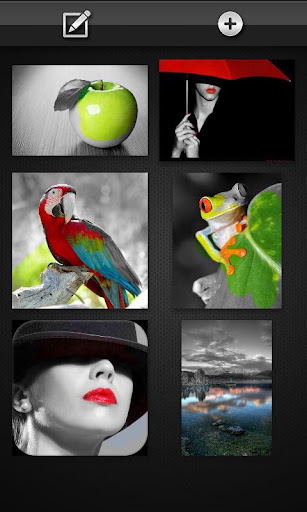
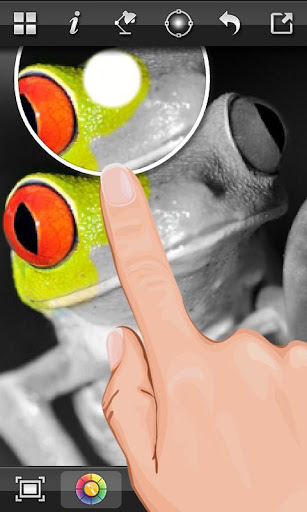
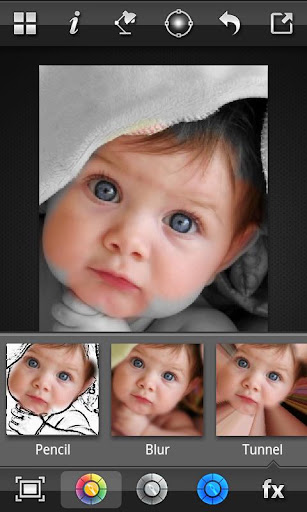
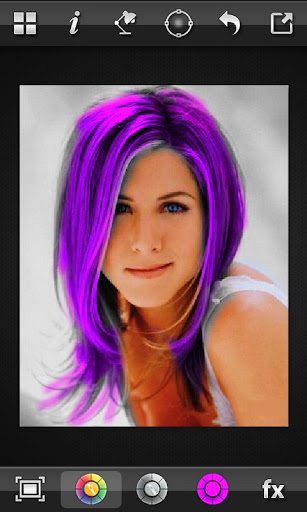
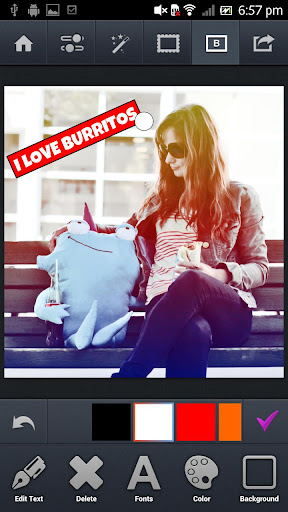
ဓာတ္ပုံကိုအေရာင္ျခယ္မႈန္းျပီး Professional ဆန္ဆန္ျပဳျပင္နုိင္မယ့္Color Splash FX (Full) v1.4.0 APK

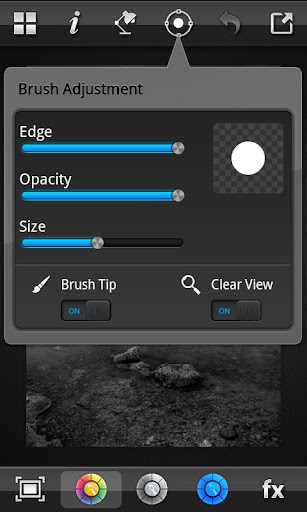
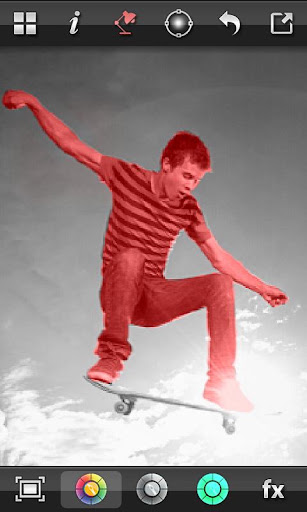
ဖုန္းေတြအတြက္ဓာတ္ပုံေတြကုိeffectအမ်ိဳးမ်ိဳးထည့္တဲ့၊ ျပင္တဲ့ေဆာ့၀ဲေတြအမ်ားၾကီးရွိပါတယ္။ အဲဒီေဆာ့၀ဲေတြထဲမွာဓာတ္ပုံရဲ႕အေရာင္ကုိအေသးစိတ္စိတ္ၾကိဳက္ခ်ယ္မႈန္းနုိင္တဲ့အေကာင္းဆုံးေဆာ့၀ဲကုိျပပါဆုိရင္ Color Splash Effect Pro Version1.4.0 APK ကုိျပရပါလိမ့္မယ္။ Color Splash Effect Pro မွာ
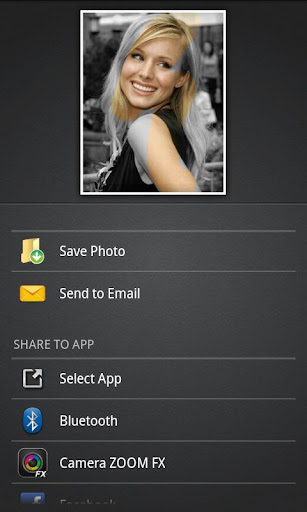
အေရာင္ျခယ္မႈန္းဖုိ႕ Tool ေတြအမ်ားၾကီးပါ၀င္တာေၾကာင့္ ဓာတ္ပုံရဲ႕အေရာင္အေသြးကုိ Professional ဆန္ဆန္ျပဳျပင္နုိင္မွာပါ။ ဒီေဆာ့၀ဲေလးနဲ႕ စိတ္ၾကိဳက္ျပင္ဆင္ျပီးသြားတဲ့ဓာတ္ပုံကုိ facebook ေပၚကုိတုိက္ရုိက္တင္ျပီးသူငယ္ခ်င္းေတြနဲ႕မွ်ေ၀ခံစားနုိင္တဲ့ feature လည္းပါ၀င္ပါတယ္။
ပံုေတြ လန္းသလားလို႔ေတာ့မေမးနဲ႔ Adobe Photoshop လို ADယာမလိုပဲ့ေကာင္းျဖစ္ေအာင္လုပ္ေပးတယ္ apk ေလးမယံုရင္ေအာက္မွာပံုေတြႏွင့္ျပထားပါတယ္ဗ်ာ။
Color Splash Effect Pro Version1.5.8 for Android ကုိ Google Play မွာ2.7 ေဒၚလာနဲ႕၀ယ္ယူရရွိနုိင္သလုိ ေအာက္က link မွာရယူပါ။ဒီေကာင္းကိုေတာ့ Android  2.1 အထက္ကိုသံုးနုိင္ပါတယ္ဗ်ာ။


Android Root ရွိတ႔ဲဖုန္းေတြအတြက္ Internal Memory ထပ္တိုးနည္း

တခ်ိဳ႕ Android ဖုန္းေတြမွာ ဖုန္းတြင္း Memory အရမ္းနည္းေနတတ္ပါတယ္ 256MB ေလာက္ပဲ ပါပဲ တဲ့ Version နိမ့္ Android ဖုန္းမ်ိဳး ျမင္ဖူးပါတယ္... ခု Memory နည္းလို႔ စိတ္ညစ္ေနသူမ်ား ဒါမွ မဟုတ္ အေတည္သင့္ပါရဲ႕နဲ႔ App ေတြ မ်ားမ်ားသံုးခ်င္သူမ်ားအတြက္ (တစ္ခ်ိဳ႕ဖုန္းေတြမွာ default stroage location) ေျပာင္း တာမပါဘူးေလ :D) SD ကတ္မွ Memory တစ္ခ်ိဳ႕တစ္၀က္ကို ဖုန္းတြင္း Internal Memory နဲ႔ ခ်ိတ္ ဆက္ပံုကိုဘာဘီ ေျပာျပပါမယ္....

ဖုန္းကေနပဲ လုပ္မွာမို႔ အဆင့္ေတြေတာ့မ်ားတယ္ေနာ္္ ၿပိးေတာ့ ဒီ ေဆာ့ဖ္၀ဲက App2SD ရဲ႕သေဘာနဲ႔ တူတယ္ ဒါေပမယ့္ သူ႔ေလာက္ Error မရိွပါဘူး App2SD သံုးရင္ imei ေပ်ာက္သြားတာတို႔ Internal Memory လံုး၀သံုးမရတာတို႔ျဖစ္တတ္ပါတယ္
ခုေျပာျပမယ္ ေကာင္က သေဘာခ်င္တူေပမယ့္ အလုပ္လုပ္ပံုခ်င္မတူပါဘူး ျပီးေတာ့ ဒီေတာ့ ဒီေကာင္က Error ကင္းတယ္ေလ ေတာ္ေတာ္မ်ားမ်ားလဲ သိၿပိးသားျဖစ္မွာပါ ဒါေပမယ့္ မသိေသးသူမ်ားအတြက္ ဘာဘီ ေျပာျပမယ္ေနာ္....

လိုအပ္တာကေတာ့ အနည္းဆံုး
4GB ရိွတဲ့ microSD ကတ္လိုပါတယ္ အႀကံေပးခ်င္တာကေတာ့ တတ္နိုင္ရင္္ 8GB သံုးေစခ်င္ပါတယ္ ၿပီးေတာ့ 8GB ဆိုရင္ Classes 6 ေလာက္ ရရင္ပိုေကာင္းတာေပါ့ေနာ္ ၿပိးေတာ့ Data ေတြ ရိွရင္လဲ တစ္ခုခုမွာသိမ္းထားေပါ့ SD ကတ္ကို အဲ app ေလးက format ခ်သြားမွာမို႔ပါ

ဟုတ္ ၿပိးေတာ့ ဒီ Software ေတြကိုေဒါင္းလိုက္ပါ

- Aparted
-Link2SD ဒီေကာင္က (plus) ေနာ္ Update ေပးရင္လဲ မလုပ္န႔ဲ
ဟုတ္ Software ေတြ Install လုပ္ၿပိးရင္ေတာ့ စၾကေတာ့မယ္ေနာ္

၁ ။ Sotware ေတြ Install လုပ္ပီးရင္ အရင္ဆံုး အဲဒီ Software ေတြမသံုးခင္ ဖုန္း Setting ထဲကိုသြားလိုက္ပါ Storage ဆိုၿပိးပါပါတယ္ အဲမွာ SD card ဒါမွ မဟုတ္ external SD ဆိုၿပိး ပါပါတယ္ အဲ SD ကို Unmount SD card လုပ္လိုက္ပါ

၂ ။ Ok လား Cancel လားေမးရင္ Ok ေပးလိုက္ပါ

၃ ။ mount sd card ဆိုၿပိး ေျပာင္းသြားရင္ရပါၿပိး အဲ Setting ထဲက ထြက္လိုက္ပါ

၄ ။ ခု Install လုပ္ခဲ့တဲ့ app ေတြ ထဲက Aparted ဆိုတဲ့ app ကို၀င္ပါ ၿပိးရင္ အစိမ္းေရာင္ အေပါင္းလကၡဏာေလးပါပါတယ္ အဲေကာင္ကို တစ္ခ်က္စိ ၃ ေခါက္နိွပ္လိုက္ပါ

၅ ။ နိွပ္ၿပိးပါက Part1 ၊ Part2 ၊ Part3 ဆိုၿပိး သံုးခုေတြ႕ရမွာပါ ၿပိးရင္ Internal Memory ကို ဘယ္ ေလာက္ GB ထိတိုးမွာလဲ 1GB လား 2GBလား 4GB လား
ဟုတ္ ဘယ္ေလာက္ပဲတိုးတိုး အဲတိုးမယ့္ GB ကို Part2 မွာသြားသတ္မွတ္ရမွာပါ Part1 နဲ႔ မဆိုင္ပါဘူး

၆ ။ ဒါဆို Part2 ကြင္းထဲက fat32 ကိုသြားနိွပ္လိုက္ပါ

၇ ။ နိွပ္တာနဲ႔ Format ေတြ အမ်ားႀကိးေပၚလာမွာပါ ext2, ext3, ext4, fat32/fat16, f2fs,swap
အဲ Format မ်ားထဲက အနိမ့္ဆံုး ext2 ကိုေတာ့ ဖုန္းေတာ္ေတာ္ မ်ားမ်ား support ေပးပါတယ္ ဒါေပမယ့္ ေနာက္ပိုင္း huawei model ျမင့္ တစ္ခ်ိဳနဲ႔ ေစ်းကြက္မွာ နာမည္သိပ္မထင္ရွားတဲ့ ဖုန္းအခ်ိဳကေတာ့ fat32 ပဲ support ရပါတယ္ huawei အေစာပိုင္းေတြကထြက္ခဲ့တဲ့ဖုန္းေတြကေတာ့ ext support ရပါတယ္ ext format support လုပ္ရင္ Software ရဲ႕ အရသာကို အျပည့္၀ခံစားရမွာျဖစ္ၿပိး fat32 ဆိုရင္ေတာ့နည္းနည္း အကန္႔သတ္ရိွပါတယ္ အဲဒီက မိမိဖုန္းနဲ႔ကိုက္ညီမယ့္ format တစ္ခုေ႐ြးလိုက္ပါ

၈ ။ ၿပီးရင္ Part2 ကပဲ 0MB ဆိုတာ Click လိုက္ပါ

၉ ။ နံပါတ္ရိုက္ရမယ့္ Boxတစ္ခုေပၚလာပါမယ္ အဲဒီမွာ Internal အတြက္
2GB စဥ္းစားထားတယ္ဆိုရင္2044 ရိုက္ပါ
4GB စဥ္းစားထားရင္ 4088 ရိုက္ပါ

SD ကတ္သာ 4GB ပဲရိွတယ္ဆိုပါက
1GB ပဲ ရိုက္ပါ 1022 ေပါ့ ၿပိးရင္ OK နိွပ္

၁၀ ။ ၿပီးရင္ Part3 ကိုဆက္သြားပါမယ္ Part1 ကိုခ်န္ထားခဲ့ပါေနာက္ဆံုးမွ လုပ္ပါမယ္
Part3 မွ fat32 ကိုပဲ Click ပါ

၁၁ ။ Format ေတြအမ်ားႀကီးေပၚလာပါမယ္ swap ကိုပဲေ႐ြးေပးပါ

၁၂ ။ ၿပီးရင္ Part3 မွပဲ 0MB ကိုနိွပ္ပါ

၁၃ ။ နံပါတ္ရိုက္မယ္ box တစ္ခုေပၚလာပါမယ္ 256 ဟုရိုက္ပါ 256 ထက္မပိုပါေစနဲ႔ ဒီ Part3 အသံုးျပဳနည္းကို ဒီပိုစ္မွာ မရွင္းျပေသးပါဘူး ရႈပ္သြားပါမယ္ သူက Ram ကို support လုပ္တဲ့ format ျဖစ္ပါတယ္ ဘာအတြက္ ဒီမွာ ခုကတည္းလုပ္သလဲဆိုေတာ့ ေနာက္ ဒီေကာင္ကို လုပ္ခ်င္လာရင္ ထပ္ Partition ခြဲရင္ အရင္လုပ္ထားတာေတြ အကုန္ပ်က္သြားမွာမို႔ပါ

၁၄ ။ Part2 နဲ႔ Part3 ၿပီးရင္ Part1 ကိုခုမွ သြားလုပ္ပါမယ္
Part1 ကေတာ့ fat32 ပဲထားရမွာမို႔ fat32 ပဲထားပါ ပီးရင္ 0MB ကိုနိပ္ၿပီး New Partition Table msdos ေအာက္မွ part2 နွင့္ Part3 ကိုလုပ္ၿပိး က်န္ေသာ memory ပမာဏ နံပါတ္ကို ရိုက္ထည့္ရမွာပါ

၁၅ ။ တစ္ခုနဲ႔တစ္ခုမတူပါဘူး ဘာပဲျဖစ္ျဖစ္ Total MB မွ Part2 နင့္ Part3 ကိုနႈတ္လို႔ရလာတဲ့ နံပါတ္ကိုထည့္ရမွာပါ

၁၆ ။ ၿပီးရင္အေပၚေထာင့္က Menu ကိုနိပ္ၿပီး Apply Changes နိပ္ပါ

၁၇ ။ ၿပီးရင္ ok ကိုထပ္နိွပ္ပါ

၁၈ ။ sd card ready ဆိုၿပီးျပလာရင္ ထပ္ၿပီး ok ကိုနိွပ္ပါ

၁၉ ။ ၿပီးရင္ App ထဲမွထြက္လိုက္ပါ

၂၀ ။ ခု Link2SD ဆိုတဲ့ software ကိုစဖြင့္လိုက္ပါ Part2 တြင္မိမိ လုပ္ခဲ့ေသာ format ကိုေရးလိုက္ပါ

၂၁ ။ reboot ခ်လိုက္ပါ

၂၂ ။ reboot ျပန္တက္လာရင္ Link2SD ကိုျပနိ၀င္ၿပီး Yပံုစံေလးက္ို နိွပ္ပါ ၿပီးရင္ user ကိုနိပ္ပါ
user applications ေအာက္ေရာက္သြားပါမည္

၂၃ ။ Menu ကိုနိပ္ပီ multi select လုပ္လိုက္ပါ

၂၄ ။ အေပၚက select all ကိုနိပ္ပါ

၂၅ ။ Menu ကိုထပ္နိပ္ၿပီး crate link ကိုနိပ္ပါ

၂၆ ။ Link ေတြအကုန္ အမွန္ျခစ္ေပးပါ

၂၇ ။ linked->SDcard ဆိုရင္ ထပ္တိုးထားတဲ့ memory ထဲေရာက္သြားပါၿပီး

၃၀ ။ Menu ကိုနိပ္ပါ stroage info ဆိုပီးပါပါတယ္ ၀င္လိုက္ပါ

၃၁ ။ sdcard 2nd part ဆိုတာ ထပ္တိုးးထားတဲ့ memory ပါပဲ

၃၂ ။ cache ေတြ ရွင္းေပးတဲ့ shortcut တစ္ခု ဒါမွ မဟုတ္ widget မွတဆင့္ Desktop ေပၚတင္ရပါတယ္
ၿပိးေတာ့ တျခား Tool ေတြလဲပါပါေသးတယ္။


ဒီပို႔စ္ေလးကို PDF စာအုပ္အျဖစ္လိုခ်င္သူမ်ား ေအာက္မွာ ေဒါင္းယူႏိုင္ပါတယ္...
စာအုပ္
====

ReF : http://tharyadanar.blogspot.com/ ,

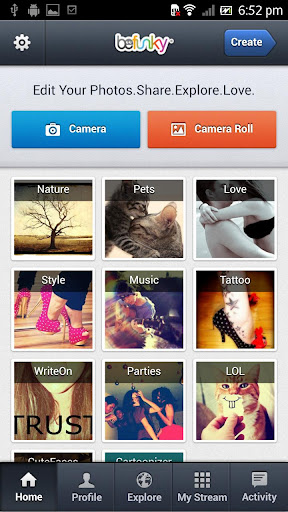
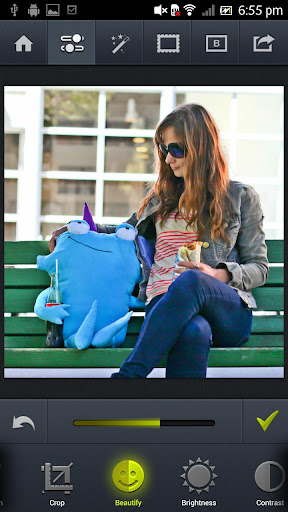
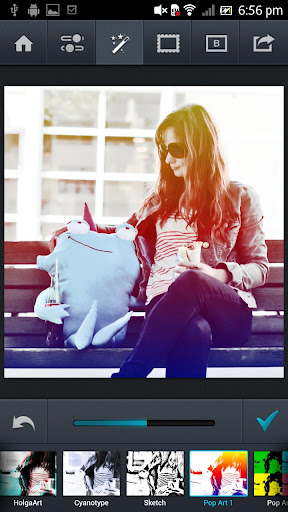
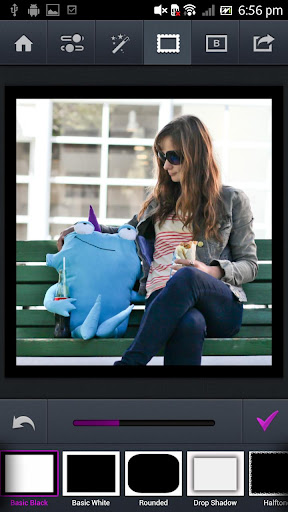
ဖုန္းမွာ ဓါတ္ပံုရိုက္ျပီး အလန္းေလးလုပ္မယ္ BeFunky Photo Editor Pro v4.1.0 APK

ဖုန္းမွာ ဓါတ္ပံုေတြကို ျပဳျပင္ခ်င္သူမ်ားအတြက္ BeFunky Photo Editor Pro ေနာက္ဆံုးထြက္ Version ေလးတင္ေပးလိုက္ပါတယ္ဗ်ာ။ အခုေခတ္နဲ႕ေတာ့ လိုက္ဖက္အညီဆံုး Application ေလးပါဘဲ။ ဘာလို႕လည္းဆိုေတာ့ မိမိျပဳျပင္ျပီးသား Photo မ်ားကို Facebook ေပၚသို႕
တိုက္ရိုက္လွမ္းတင္ႏိုင္လို႕ပါဘဲ။ အဲဒီ Feature ေလးကေတာ့ မိုက္တယ္ဗ်ာ။ ဓါတ္ပံုျပဳျပင္တဲ့ Feature ေတြ Effect ေတြကေတာ့ အမ်ားၾကီးဘဲဗ်ာ။ ကိုယ္တိုင္သာစမ္းျပီးကလိၾကပါေနာ္။ Android OS 2.2 ႏွင့္ အထက္ဖုန္းမ်ားမွာအသံုးျပဳႏိုင္ပါတယ္ဗ်ာ။


Credit BY ေအာင္ေက်ာ္ခိုင္ (ပုသိမ္)

Followers